
Latest Version
J. Sundermeyer
Finance
Linux
Free
org.texstudio.TeXstudio
Report a Problem
More About TeXstudio
Writing complex LaTeX documents can often feel overwhelming, but the TeXstudio LaTeX editor streamlines the entire process by combining writing, compiling, and previewing into a single, cohesive workspace. Developed by J. Sundermeyer for the Linux platform, this open-source application is designed to take the friction out of typesetting, allowing academics, researchers, and writers to focus entirely on their core content rather than fighting with syntax.
Why the TeXstudio LaTeX Editor Stands Out
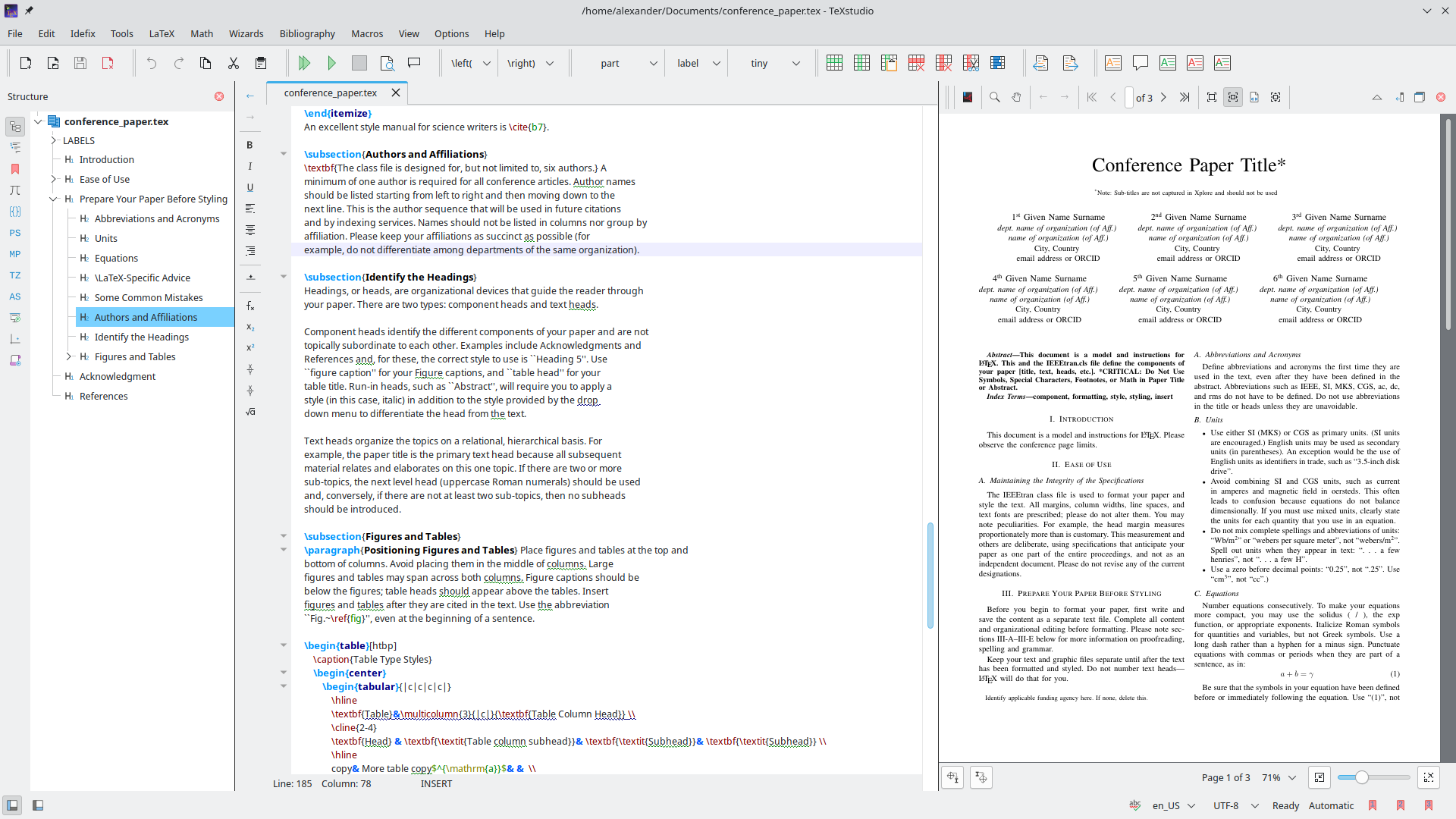
At its core, the TeXstudio LaTeX editor is built to make typesetting as comfortable and intuitive as possible. Instead of juggling multiple command-line tools and external PDF viewers, users are provided with a fully integrated writing environment. The software actively assists you as you type, offering real-time feedback that prevents common formatting mistakes before they compile.
Key Features for Seamless Typesetting
- Intelligent Source Code Navigation: Effortlessly jump through large documents using the interactive structure view, clickable internal links, and a detailed cursor history.
- Advanced Syntax Highlighting & Auto-Completion: Write code faster and with fewer errors thanks to smart code suggestions and clear, customizable syntax coloring.
- Live Verification: Keep your work flawless with real-time checking for spelling, grammar, citations, references, syntax, and package dependencies.
- Interactive Table Editing: Design and modify complex LaTeX tables visually without manual row-and-column alignment headaches.
- Integrated PDF Viewer: Preview your output instantly with near word-level syncing, allowing you to click a point in the PDF and jump directly to the corresponding line in the source code.
- Inline Previews: View live-updating inline previews for mathematical formulas and code segments directly inside the editor.
System Requirements and Setup
To leverage the full compiling power of the TeXstudio LaTeX editor on Linux, you will need a LaTeX distribution installed on your system. This can be obtained directly from your distribution's official repositories via TeX Live, or by utilizing the TeX Live Flatpak extension with the command flatpak install flathub org.freedesktop.Sdk.Extension.texlive//25.08.
Who Is This Editor For?
Whether you are drafting a comprehensive scientific thesis, formatting complex mathematical equations, or structuring a multi-chapter book, this tool is ideal for anyone who demands precision without sacrificing speed. It bridges the gap between raw code entry and visual layout control, making it a premier choice for technical writers on Linux.
Get Started with TeXstudio
If you are ready to elevate your typesetting workflow and craft beautiful documents with ease, we highly recommend exploring this robust utility. You can learn more, view community discussions, and find deployment details by visiting the official TeXstudio Flathub page.
Rate the App
User Reviews















Popular Apps










Editor's Choice